
Workplace Inspections Software | Mobile Safety Inspections
Workplace Inspections That Give Leaders Real-Time Visibility.
Giving teams completely connected mobile inspections, evidence capture and the ability to raise actions across all sites in real-time.
Workplace inspections are only useful when they reflect the way work actually happens.
Generic checklists, paper forms and disconnected spreadsheets make it hard to know what has been checked, what was found, what still needs attention, and whether recurring issues are being fixed.
Unifii helps organisations run mobile, configurable workplace inspections that are relevant to each site, facility, asset or operating context. Frontline teams capture observations, photos and actions in the flow of work, while leaders get real-time visibility of inspection activity, findings, follow-up and trends.
From checklists to operational visibility.
Most organisations already have workplace inspections; the challenge is getting hold of usable information to trust and act on.
A checklist may be completed, but who knows which areas were actually inspected, whether the right questions were asked, whether issues were found, or whether evidence was captured, whether findings became actions, or whether the same issues are repeating.
Unifii turns inspection activity into structured operational data. Inspection records do not sit in isolation. They become part of a connected operational picture, with evidence, ownership, actions, reporting and insight.
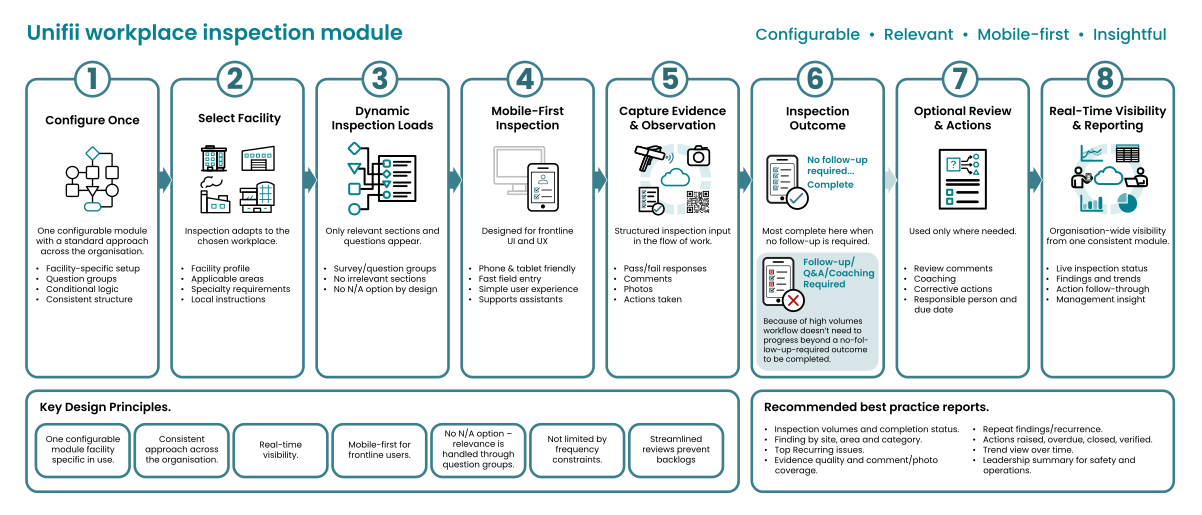
Inspections built around the workplace requirements, not the forms.
Different workplaces need different inspections. An office, warehouse, quarry, laboratory, workshop, manufacturing plant, retail site, transport depot and customer-facing facility do not have the same inspection requirements.
Unifii configures workplace inspections so that they are relevant to the facility, area, asset or operating context. This means you can use one consistent inspection framework across the organisation while still adapting the inspection to each work environment.
Capability highlights:
- Configure inspection question sets by site, facility, area or operational context.
- Show only relevant inspection sections to frontline users.
- Support specialist inspection areas without creating disconnected forms.
- Maintain a consistent approach across the organisation.
- Keep inspection content relevant as sites, risks and operations change.
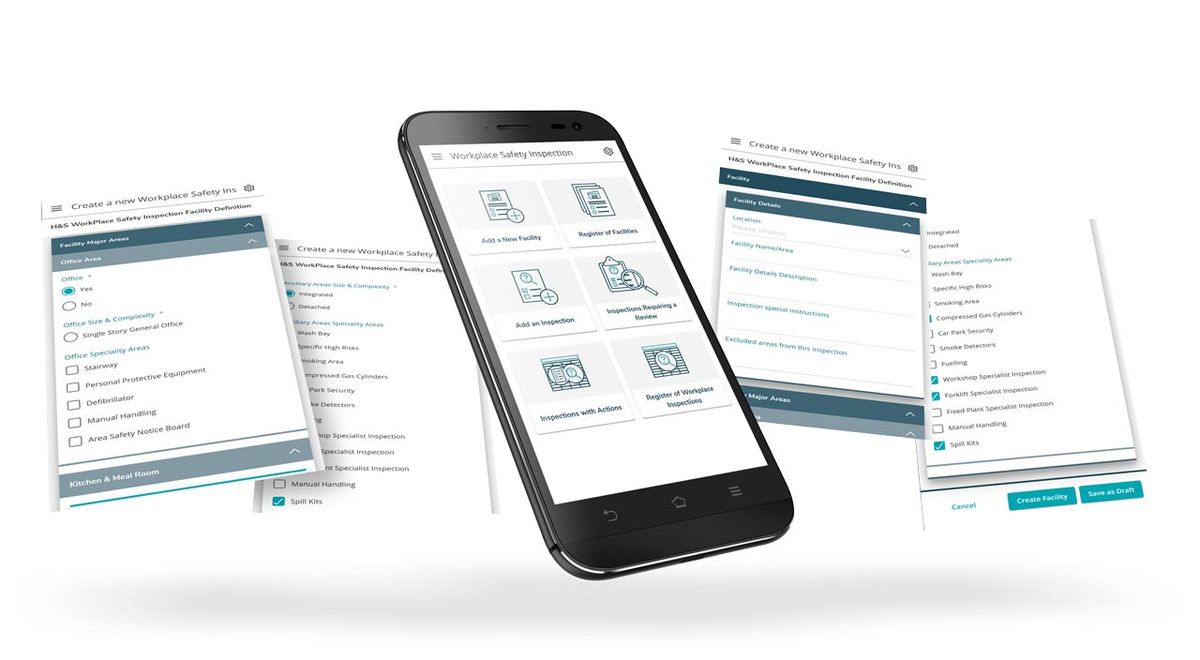
Mobile-first for frontline teams.
Workplace inspections only work when people can complete them easily in the field. Unifii is designed for frontline use, allowing inspection teams to complete checks on mobile devices and capture what they see while they are seeing it.
You can record observations, add comments, attach photos and capture immediate actions onsite, improving data quality because the inspection record is created in the flow of work, not reconstructed later.
What users can do:
- Select the workplace, facility or inspection target.
- Complete relevant inspection questions.
- Add comments and photos.
- Record immediate action taken.
- Confirm whether follow-up is required.
- Complete the inspection when no further action is needed.
- Escalate findings where follow-up, review or corrective action is required.
Capture evidence where it matters.
A completed inspection is not necessarily a useful inspection. When issues are found, the record needs enough context for someone else to understand what was seen, what was done, and what needs to happen next.
Unifii supports evidence capture as part of the inspection process. Photos, comments, attachments and immediate action notes help turn inspection findings into practical, traceable records.
This is especially important for high-risk, distributed or multi-site operations where leaders cannot rely on informal knowledge to understand what is happening on the ground.
Evidence that supports action:
- Photos of workplace conditions.
- Comments explaining what was found.
- Immediate actions taken during the inspection.
- Linked follow-up actions.
- Responsible person or team.
- Due dates.
- Status and closure information.
- Verification where required.
Findings become actions, not loose ends.
Inspection programmes often break down after an inspection is completed. The located hazard is duly recorded, notes are written, and a photo is taken but not necessarily attached. The follow-up can disappear into emails, spreadsheets, meetings or someone’s memory.
Unifii closes the loop by connecting inspection findings to action management. When follow-up is required, findings can be turned into owned actions with responsibility, due dates, status and escalation. Leaders can then see whether issues are being resolved, not just whether inspections are being completed.
What good follow-through looks like:
- Issues are captured at the source.
- Actions are assigned to the right owner.
- Due dates are visible.
- Overdue work is easy to identify.
- Closure evidence can be captured.
- Repeat findings can be tracked.
- See whether action is fast enough.
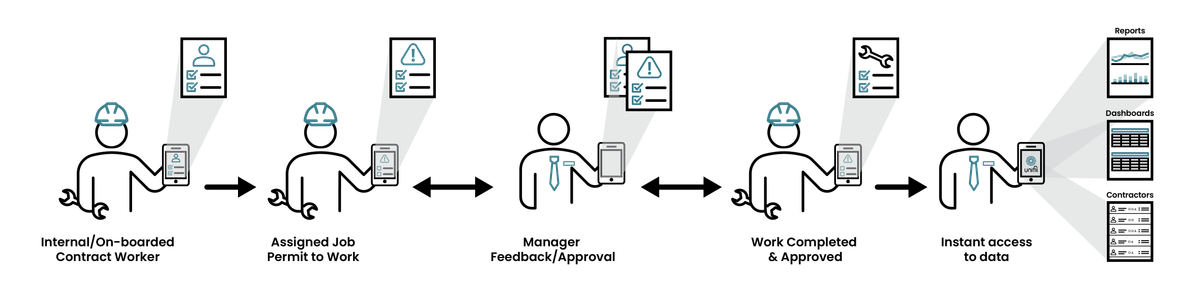
Flexible inspections across industries.
Unifii Workplace Inspections are not limited to one type of workplace. The module can be configured for a wide range of operating environments.

Manufacturing
Housekeeping, guarding, emergency stops, hazardous substances and plant areas.

Construction Materials & Quarrying
Traffic management, haul roads, bunds, fixed plant and geotechnical hazards.
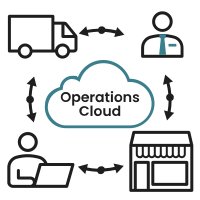
Retail & Facilities
Store condition, customer safety, maintenance issues and contractor work areas.

Transport & Logistics
Depots, loading areas, traffic flow, fleet-related checks and pedestrian separation.

Warehousing & Distribution
Racking, forklifts, walkways, loading docks and emergency access.

Healthcare & Laboratories
Cleanliness, chemical storage, equipment, access and emergency readiness.

Hospitality & Venues
Public areas, back-of-house areas, emergency equipment and contractor activity.

Utilities & Infrastructure
Site access, assets, high-risk work areas, environmental and operational controls.
Manage scheduled and ad hoc inspections.
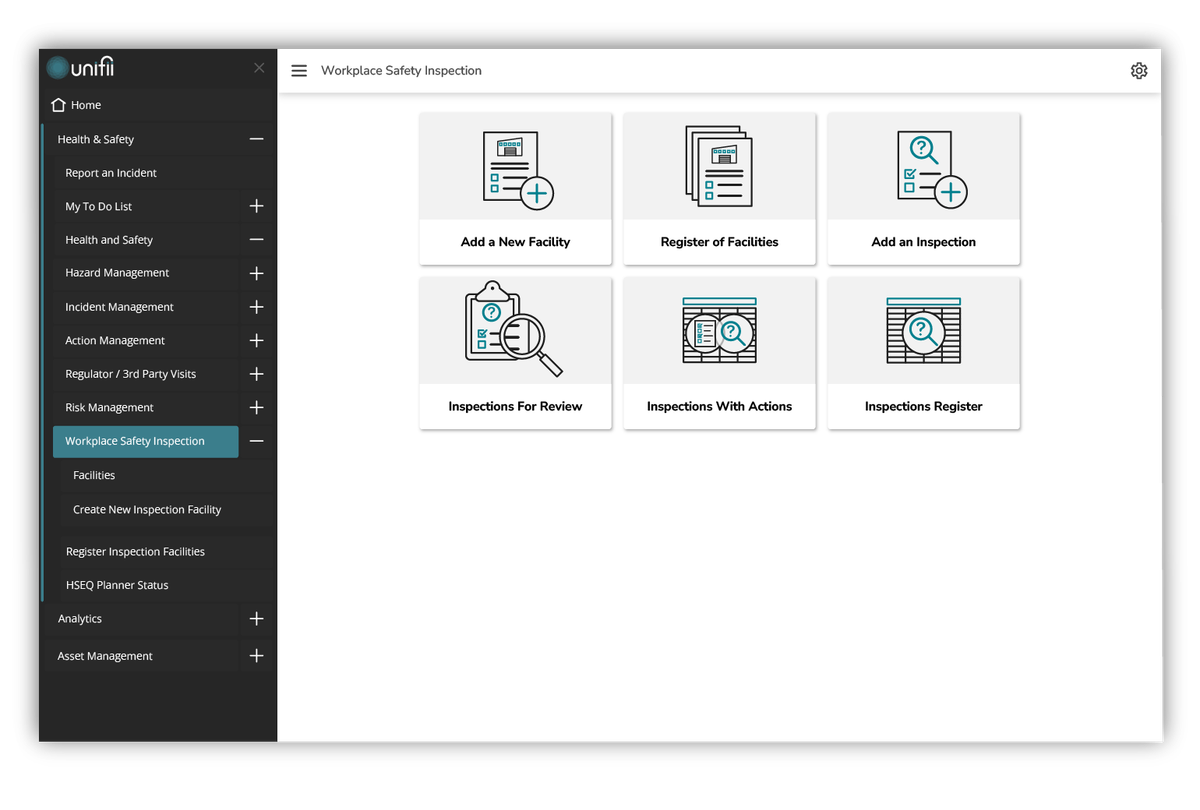
Some inspections happen on a fixed rhythm. Others happen because work changes, risk changes, a site changes, or a leader wants to check a specific area. Unifii easily supports both ways of working.
Organisations can use workplace inspections for routine checks, targeted campaigns, leadership walks, specialist assurance activities or ad hoc site reviews.
Where inspection schedules, due dates and recurring obligations are required, Unifii can connect inspection activity with planning, task management and reporting so leaders can see what is due, completed, missed or overdue.
Scheduling and frequency use cases:
- Daily site checks.
- Weekly workplace inspections.
- Monthly safety committee inspections.
- Quarterly assurance checks.
- Annual verification activities.
- Event-triggered inspections.
- Post-maintenance or post-change checks.
- Leadership walkarounds.
- Targeted risk or campaign inspections.
Real-time reporting and leading indicators.
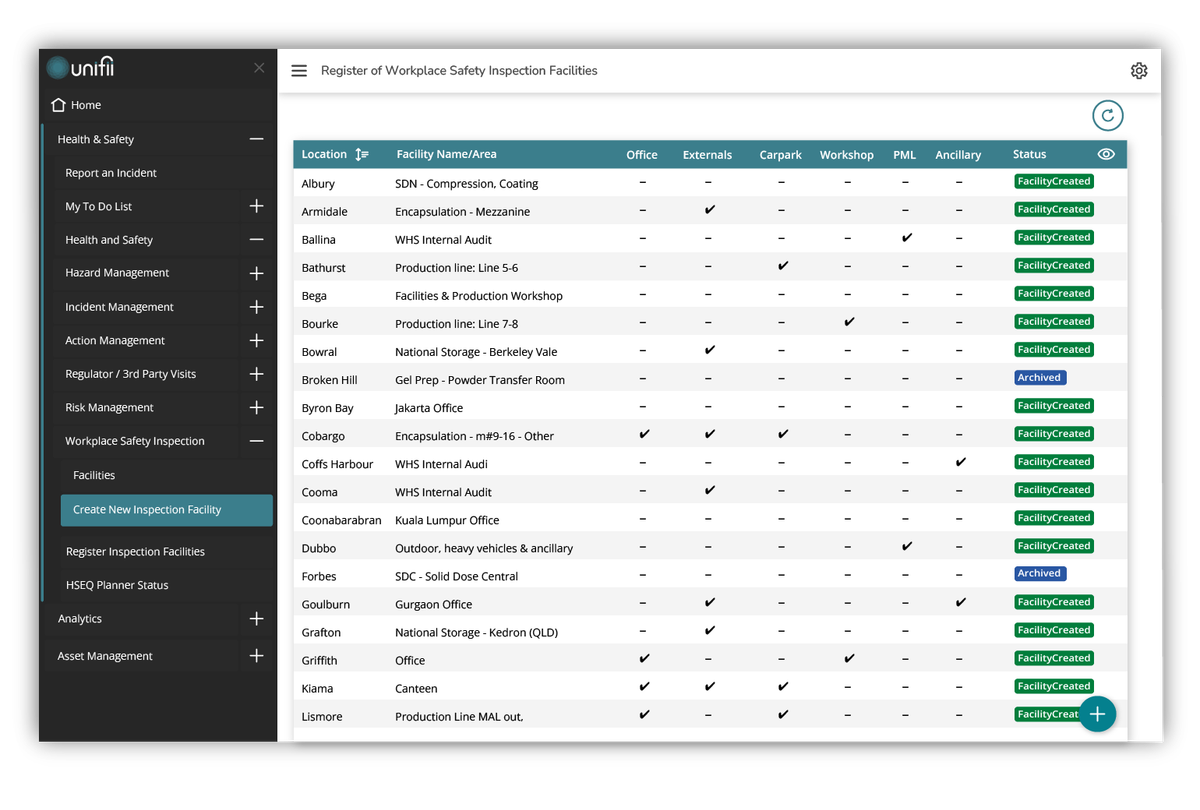
Workplace inspections are a valuable leading indicator when the data is structured, timely and connected. Unifii helps leaders move beyond basic completion counts by showing where findings are emerging, where actions are ageing, which issues are recurring and where inspection activity may be uneven across the organisation. Our goal is not reporting for reporting’s sake, it is to achieve earlier action.
Reporting examples:
- Inspections completed by site, facility, team or period.
- Inspection coverage across locations.
- Findings by category or question set.
- Repeat findings.
- Open and overdue actions.
- Evidence quality.
- High-risk or critical-control findings.
- Scheduled versus completed inspections.
- Trends over time.
- Leadership summaries.
Turn workplace inspections into visible action.
We enable organisations to run inspections that are relevant, mobile, evidence-based and connected to action. Unifii can help your teams inspect the right areas, capture the right evidence, and act before small issues become bigger problems.
What is workplace inspection software?
Workplace inspection software helps organisations complete, record, manage and report workplace inspections digitally. Instead of relying on paper checklists or spreadsheets, teams can complete inspections on mobile devices, capture evidence, raise actions and view inspection information in real time.
Can Unifii Inspections be configured for different sites or facilities?
Yes. Unifii can be configured so inspection questions are relevant to the site, facility, asset, area or operating context being inspected. This helps organisations maintain consistency without forcing every user through the same generic checklist.
Can inspections be completed on mobile devices?
Yes. Unifii is designed for frontline use, allowing users to complete inspections, add comments, upload photos and record immediate actions in the field.
What happens when an inspection finds an issue?
Where follow-up is required, inspection findings can be connected to action management. Actions can be assigned to owners, tracked through to completion, and reported so leaders can see whether issues are being closed.
Can Unifii support scheduled inspections?
Yes. Unifii can support scheduled or recurring inspection obligations through the appropriate combination of inspection workflows, planning tools and reporting. The exact design is configured around the organisation’s operating model.
Does Unifii support inspections across different industries?
Yes. Unifii can support inspections across high-risk, distributed and multi-site operating environments, including manufacturing, construction materials, retail, logistics, warehousing, utilities, infrastructure, facilities and other complex operations.
How does Unifii reporting help leaders?
Unifii reporting helps leaders see inspection completion, findings, repeat issues, overdue actions, coverage gaps and emerging trends. This helps organisations move from delayed reporting to earlier action.
Are workplace inspections the same as audits?
No. Workplace inspections are usually operational checks focused on the condition of the workplace, equipment, areas or controls. Audits are generally more formal reviews of system conformance and effectiveness. Unifii can support both, but they serve different purposes.
